AI floor plan generator
An AI floor plan generator that draws to scale.
Roommie is an AI floor plan generator for interiors. You describe the space in chat, for example "2-bed, 85 m², open kitchen", and a design agent drafts a dimensioned plan, furnishes it, checks the geometry, and gives you drawing sheets, a 3D model and DXF, SVG and GLB exports.
Try it free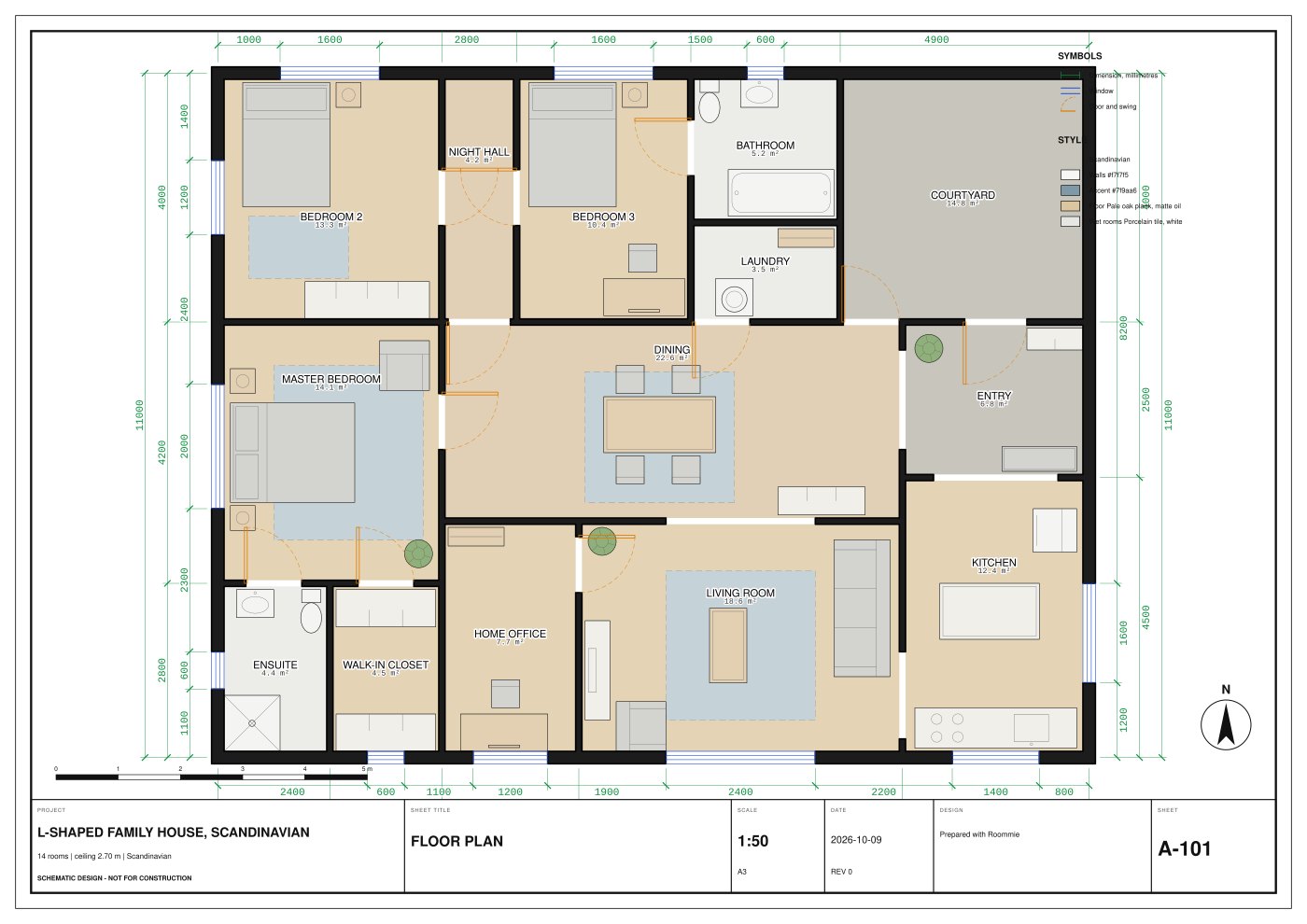
How it works
You brief it the way you would brief a colleague: size, rooms and mood. The agent drafts walls, doors, windows and furniture as real geometry, not as a picture.
- Write the brief in plain words.
- The agent drafts the plan and a validator checks it.
- Ask for changes in chat. Plan, sheets and 3D update together.
- Export DXF, SVG or GLB.
What makes the plan usable
Many AI tools return an image that only looks like a plan. Roommie returns measured geometry. Every draft is checked: walls form closed rooms, doors and windows sit on walls, furniture does not overlap, every room can be reached, and walkways keep a 900 mm clearance.
What you get
One brief gives you a full set to review.
- Dimensioned 2D floor plan
- Furniture, electrical and lighting views
- Six drawing sheets
- 3D model and walkthrough
- DXF for CAD, SVG for print, GLB for 3D
Who it is for
Interior designers use it to go from brief to a first draft in one sitting. Architects and small studios use it to test layouts fast. Homeowners use it to see an idea drawn before they hire anyone.
Price
Start free with 12 credits: enough for a plan, a few edits and a render. Then credit packs start at $10 and never expire. Every feature and export is included for everyone.
Questions
Is there a free AI floor plan generator?
Yes. Create a free account and you get 12 credits: a plan, a few edits and a render. All views, the 3D model and DXF, SVG and GLB exports are included.
Can AI draw a floor plan with real dimensions?
Yes. Roommie drafts the plan as measured geometry, in metres or in feet and inches, and adds dimensions to the drawing sheets. A validator checks the geometry before you see it.
Can I build from an AI floor plan?
No. Roommie outputs are schematic-design drafts for review, not construction documents. A licensed architect or engineer must review and sign anything that is built or permitted.
Can I edit the plan after it is generated?
Yes. Ask the agent for changes in plain words, or open the DXF in AutoCAD, FreeCAD or LibreCAD and edit by hand.
Updated 5 October 2026. Floor plans are design drafts, not construction documents.